How I make audioreactive art: an illustrated guide
How I make visual arts reacting to my music
I divide my art into two broad categories. The first is my primary art, which consists of my music plus associated music videos. Each of these pieces is characterized by a large amount of effort and an unwillingness to compromise on my aesthetic vision. These are the reason I make art in the first place. Everything is in service of them.
Then there is my secondary art, which I make for two reasons: to improve technique, and to generate material for promoting my music. With these pieces, it is all about experimentation and finishing new pieces with high frequency. In art, quality can only be arrived at through quantity. But if the only time I made visual art was when I finished music, which for me usually takes 2-4 months apiece given my limited time to do art as a hobby in the late hours after work, I would never become good. So making these short pieces for social media is actually a great way to build technique and prototype ideas for my full-length pieces. So with my secondary art, I am willing to make compromises. And admittedly, my works in this category sometimes borders on a bit cheesy. However, if a 20-second clip funnels significantly more people towards my primary art, then I can live with that. So this secondary art ends up veering towards eye-candy and, perhaps sometimes, artistic fast food. But hey, who doesn’t like a burger every now and then?
Since there has been some interest, here I will show you how I approach making these pieces. But first, let me share a few of them, so you can decide whether you think I am worth listening to.
Example 1
I will show I made this one below:
Video hosted on SubstackExample 2
Video hosted on SubstackExample 3
Video hosted on SubstackBefore showing you the explicit process, I need a short description of the tools I use.
The Tooling
Ok, so my goal is this: I want to showcase my music together with eye candy to help grab attention. These clips are uploaded on YouTube shorts and TikTok, so attention is the name of the game. How should we go about this? I want the eye candy to complement the music, not completely distract from it. My solution is to make the visuals synchronized to the music. Now we need a tool that allows a rich set of interactions between sound and visual effects. I have ended up choosing the software Magic Music Visuals (MMV) for this, which I am super happy with, and which you can buy for $45. A steal.1
MMV provides a whole host of visual effects that have knobs that you can turn with sound. As an example, I could add a brightness module to modify the brightness of the output image with time. I could do this by hooking up the kick drum audio to this module. This lets me set the brightness of the output video to increase in proportion to the volume of the kick. You can apply any mathematical function to the kick drum volume before you attach it to the knob. Typically you’d want to scale the volume up or down to make the brightness variation appropriately strong.
Next, I need some raw input imagery that actually gets modulated and morphed with sound. Here you can use anything you want. I use a variety of things. One thing I use all the time are so-called interactive shaders. These are visual effects generated from code. These shaders come with knobs attached that you can use to change the visuals real-time. Again, by importing these shaders into MMV, I can use audio files to turn the knobs. The great thing with shaders is that there is a large community of people programming these and putting them up online for others to use for free. isf.video has a great library of free ones. I do not program shaders from scratch myself (for now), although sometimes I modify the ones I download using Claude as my personal shader coding assistant. Claude is pretty capable at this task.
How I made the Example 1
First I downloaded a shader that looks like this (sorry, forgot to remove the sound on the clips below):2
Video hosted on SubstackThis is not very interesting in itself, but it provides a texture that we can blend into other stuff. However, I wanted a central focus, so I applied a reflection about the vertical axis to make it more symmetric:
Video hosted on SubstackBelow we will explore how introducing symmetry alters the entropy of the visuals. But for now, let’s move on.
Next I downloaded a second shader of some zooming strips of light and applied a reflection about both the vertical and horizontal axis. After these two reflections, it looks like this:
Video hosted on SubstackSo far pretty boring stuff. But let’s blend the last two videos. Also, let’s slap on a color adjustment module to make the strips of light pure white, and the zooming video gold/orange. We get this:
Video hosted on SubstackIt is starting to look more interesting. You can recognize Example 1 at this point. But we are lacking a lot of the nice details that vary with time. How do we make this?
Ok, to generate the last layer of texture, we will use this video, which I already had on my drive:
I made this video for an earlier project by blending together 41 different still images that I generated in Midjourney, one being a zoom-out of the other. I used this freely available script to stitch together the images into a smooth video. You probably recognize this video from Example 2 and 4 as well, except in Example 2 it plays in reverse.
A digression here on AI for those who have an instinctive aversion against anything leveraging our new intelligent art tools: is there any less creative input in making this video versus a photographer adjusting the settings of their camera, pointing it at the world, and clicking the shutter? It took a lot of human work and decisions to make this video. To make it, first I wrote an estimated 20-30 prompts to get an initial style I liked. This took me to image 1 out of 41. Then, for the remaining 40 images, I wrote about three prompts per image, meaning I wrote 120 prompts. Each prompt generates 4 images, so I picked 40 pictures out of 480 candidates. Furthermore, several of the images had defects, so I used the Midjourney edit feature to repaint localized regions of the images that had defects. In conclusion, there is a whole slew of microdecisions made by me, the artist, to produce the final result (see Neal Stephenson’s great discussion on microdecisions, art, and AI art). Anyway, that’s my diatribe against naive whining about AI which is blind to the fact that artists worth their salt will always put in the work to bend the output to their will, creating a whole that is the reflection of their many small decisions.
Now, let’s continue. After, I applied a vertical and horizontal reflection of the above video, I get this:
Video hosted on SubstackI honestly love this thing on its own. Beautiful textures.
Now we are pretty much done. Blending the above video with the orange thing we constructed earlier using one of the modules for blending in MMV, we get the final Example 1. The only extra thing I’ve done is added a bit of dynamic brightness triggered by the kick drum, as already described earlier.
Here comes the shilling. Making this illustrated guide takes quite a bit of time. If you like what you see here, I would much appreciate a hit on the Like or Share button. It would help my little publication. Thank you!
The Aesthetic Logic
I want to briefly describe the logic that went into constructing these, and furthermore illustrate how the important lever of symmetry affects the final result.
First, I always mentally organize thinking about art into scales: the microscale, the macroscale, and the mesoscale. Given that we are working with video, this further applies in two dimensions: time and space. An easy way to make eye candy is to inject a lot of structure at the microscale that evolves relatively slowly. This gives a lot of structure that is satisfying for the beholder to discover at any given moment in time. Since the microstructure evolves, this keeps being true as the piece unfolds.
However, we can easily dump too much complexity into short length scales, making the piece incomprehensible (as I’ve discussed before, the art has too much entropy). The same is true of short time scales, meaning the piece evolves too fast. Either way, this gives a sense of messiness and incoherence. Too much surprise, too little predictability. However, in this case, there is a great trick to increase pattern regularity (=reduce the entropy). Namely, make things more symmetric. And that’s exactly what we did by making all those reflections about vertical and horizontal axes. Look at what Example 1 becomes if we hadn’t made any of these reflections:
Video hosted on SubstackAwful. Awful. The patterns are way too hard to digest. Your brain doesn’t find any organizing principles. Too much surprise. No beauty for you. Furthermore, the layers don’t really blend together, because they don’t have much in common. But, as we see in this example, giving them common symmetries, there is an overall organizing principle that makes the layers click together naturally.
When I make these, I often first pick some texture that has a lot going on at short length scales. Then I make it more symmetric if it is too messy. However, if you make things too symmetric, the patterns are not rich enough to be satisfying. In this case, you need to back off the symmetry, or introduce a new asymmetry. More symmetry means less entropy, less symmetry means more entropy.
Now, let’s say I’ve got the microstructure in place. At that point I want some pattern that unfolds over longer time scales and length scales. This helps the viewer get a sense of a story unfolding, or a secret being revealed. In Example 1, the macrostructure is that last blue zoomy that we added, while the golden stuff purely textural microstructure. Of course, the zoomy also provided microstructure. Note that I sometimes also start with the macrostructure. There is a whole lot of trial and error, trying stuff that doesn’t work, and I haven’t pinned down any kind of rigid process—I probably never will.
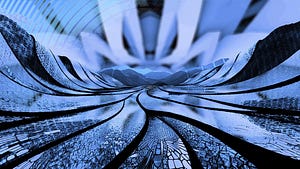
What about mesostructure? I.e. the length- and timescales in between the long and the short. All the mesostructure here was implicitly pinned down by the decisions I made to try the get the micro and macrostructure right. It is important, but it kind of just happened by trial and error. If the result comes out ugly, it might be that the mesostructure didn’t work out right, but it might be hard to consciously realize that. Anyway, deliberate work on mesostructure is much more important on longer videos, where the manipulation of tension, energy, and expectation is key. If you want to see how I have navigated that before, I will point you to one of my 7-minute long visuals, which takes the form of a music video:
I am definitely learning the ropes here. I’ve been making these visuals only for 6 months now, and I am sure I will look back cringing at this stuff in a year. But that’s how it always goes for me with making art.
Video hosted on Substack Video hosted on Substack Video hosted on SubstackTouchDesigner is apparently a popular alternative, but I have never tried it.
For the curious: it is depicting motion through hyperbolic space.